Rainy75 Lineup Compared: Lite vs Standard vs Pro vs MK Edition vs HE Pro


Introduction
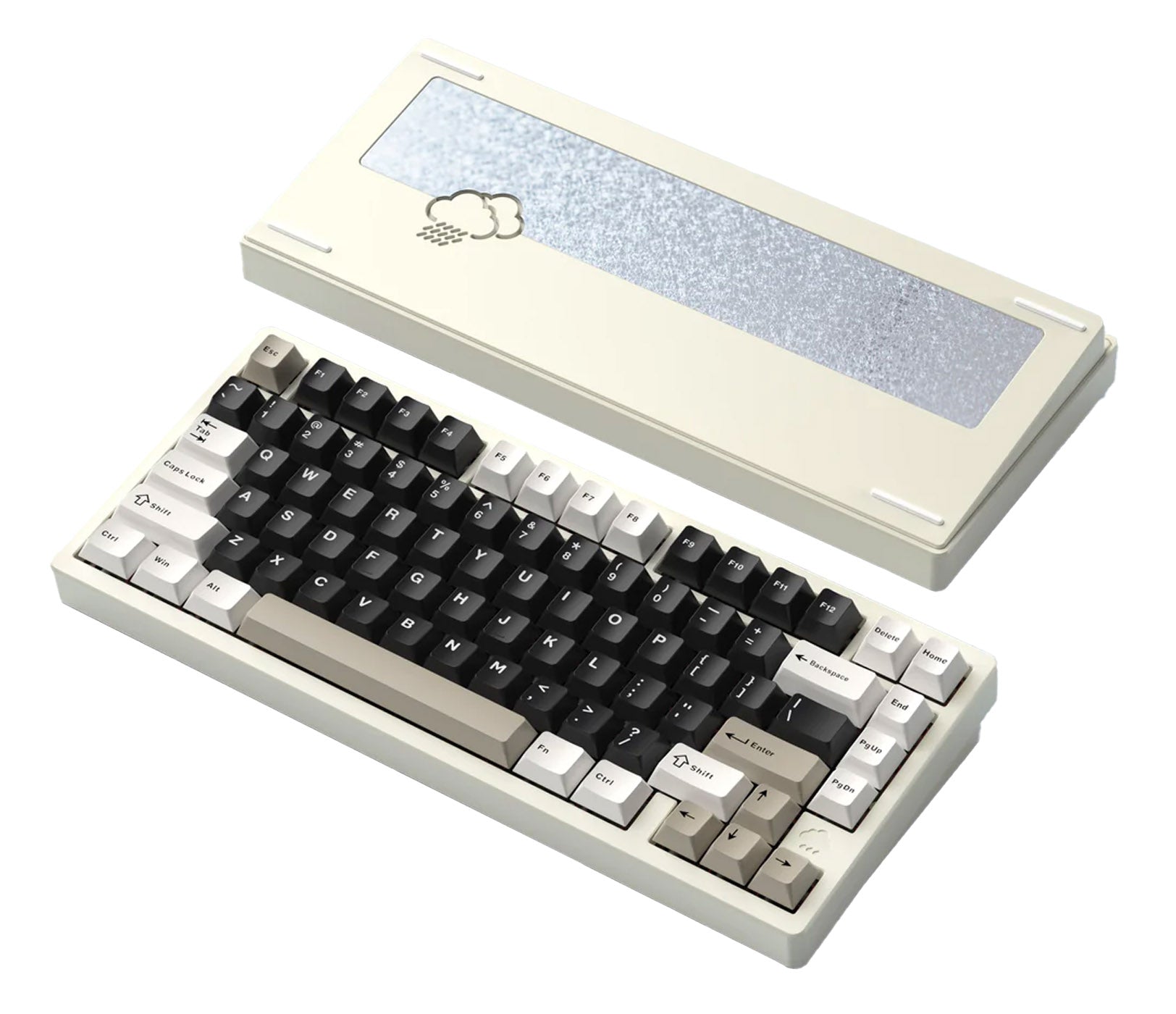
The Rainy75 from WOBKEY became a go-to 75% board by putting a CNC aluminum case and gasket mount at a price most people could reach. Popularity brought variants, and KeyLab DB now lists more than ten Rainy75 models. Most of them are color, limited or ISO-layout editions built on the Pro, though — only five core models actually differ inside.
The problem is that these five are nearly impossible to tell apart from the outside. An 81-key 75% layout, aluminum case, gasket mount, hot-swap — every model shares those. The differences live inside the case: plate material, PCB construction, battery capacity, and switch sensing technology. Those inside differences are exactly what separates how each one types and what it is good for.
This comparison covers the five core models, drawing on an in-depth Japanese review of the Rainy75 HE Pro, and then walks through the variants.
The short answer: which one for which use
| If you want… | Pick |
|---|---|
| The cheapest way into a Rainy75, no lighting needed | Rainy75 Lite |
| A soft typing feel plus RGB | Rainy75 Standard |
| Long wireless sessions and a bit more firmness | Rainy75 Pro |
| A firm, non-flexy typing feel | MK x WOBKEY Rainy75 Pro |
| Rapid trigger for competitive gaming | Rainy75 HE Pro |
Specs side by side
The values below come from KeyLab DB and the retailer's (MechanicalKeyboards.com) product descriptions. Prices are what KeyLab DB recorded at the time of writing (September 2026) and will move with sales.
| Model | Plate | PCB | Stock switches | Connection | Battery | RGB | Software | Approx. price |
|---|---|---|---|---|---|---|---|---|
| Rainy75 Lite | PP (flex-cut) | 1.2mm flex-cut | HMX Violet (45g linear) | Wired / BT 5.0 / 2.4GHz | 3500mAh | No | VIA | $115 |
| Rainy75 Standard | PP (flex-cut) | 1.2mm flex-cut | HMX Violet (45g linear) | Wired / BT 5.0 / 2.4GHz | 3500mAh | Yes | VIA | $139 |
| Rainy75 Pro | FR4 (flex-cut) | 1.2mm flex-cut | JWICK WOB or Kailh Cocoa | Wired / BT 5.0 / 2.4GHz | 7000mAh | Yes | VIA | $159 |
| MK x WOBKEY Rainy75 Pro | Aluminum (non-flex) | 1.6mm non-flex | Kailh Cocoa (linear) | Wired / BT 5.0 / 2.4GHz | 7000mAh | Yes | VIA | ~$154 |
| Rainy75 HE Pro | Carbon fiber | — | Gateron Jade Pro (36g magnetic linear) | Wired only | — | Yes | Custom (web) | ~$170–200 |
Five things are shared by every model and left out of the table: 81-key 75% layout, CNC aluminum case, gasket mount, hot-swap support, and included keycaps. KeyLab DB lists the Lite, Standard, Pro and HE Pro at about 1.8kg — neither is going anywhere on your desk.
Read the table top to bottom and the structure of the lineup becomes clear:
- Lite → Standard → Pro is a step-by-step upgrade path: the plate gets stiffer and the battery gets bigger.
- The MK edition starts from the Pro and deliberately removes the flex.
- The HE Pro is a different branch entirely — a magnetic board with a different sensing technology.
The models
1. The cheapest entry: Rainy75 Lite
The Lite is essentially the Standard without RGB backlighting. It keeps the flex-cut PP (polypropylene) plate, the 1.2mm flex-cut PCB, and the multi-layer dampening (Poron, EPDM, PET insulation sheet).
PP is a soft, flexible plate material. It is gentle on the fingers and tends to keep the sound low and rounded. The stock HMX Violet is a light 45g linear, which makes for an easy combination over long typing sessions.
Best for: a first aluminum gasket board, typing-heavy work, and anyone who doesn't care about lighting. Tri-mode connectivity and VIA are the same as on the higher models, so the lack of RGB is nearly the only compromise.
2. The default choice: Rainy75 Standard
The Standard adds A-RGB backlighting and one extra layer of PET foam to the Lite. The plate, PCB, switches and 3500mAh battery are shared with the Lite.
The finish is different too: the bottom weight is mirrored glass (the Pro uses steel). The 1.2mm PCB takes both plate-mount and PCB-mount stabilizers, so there is room to swap stabs later.
Best for: people who want both the soft feel and lighting. At roughly $24 over the Lite, this is the "standard Rainy75 experience."
3. For long wireless use: Rainy75 Pro
The Pro changes three things: an FR4 plate, a 7000mAh battery (double the Standard's), and a steel external weight.
FR4 sits between PP and aluminum — stiffer than PP, more flexible than aluminum. Paired with the flex-cut PCB, it keeps some softness while giving the keystroke a more defined edge than PP. Stock switches are a choice of JWICK WOB or Kailh Cocoa.
At around 1.8kg it is heavy for its size. Not a travel board, but on a desk it will not shift at all while you type.
Best for: mostly wireless use with a laptop or tablet and fewer charging stops; anyone who wants a slightly firmer feel without going stiff.
4. For a firm, non-flexy feel: MK x WOBKEY Rainy75 Pro
This is an exclusive built with the retailer MechanicalKeyboards.com (MK). It starts from the Pro but goes the opposite direction: an aluminum plate with no flex cuts and a 1.6mm non-flex PCB.

The regular Rainy75 is designed to let the plate and PCB flex for a soft keystroke; this edition deliberately reins that in. The gasket cushioning is still there, but the result is a firmer, more stable feel with a clear bottom-out. The 7000mAh battery, south-facing A-RGB and steel external weight match the Pro.
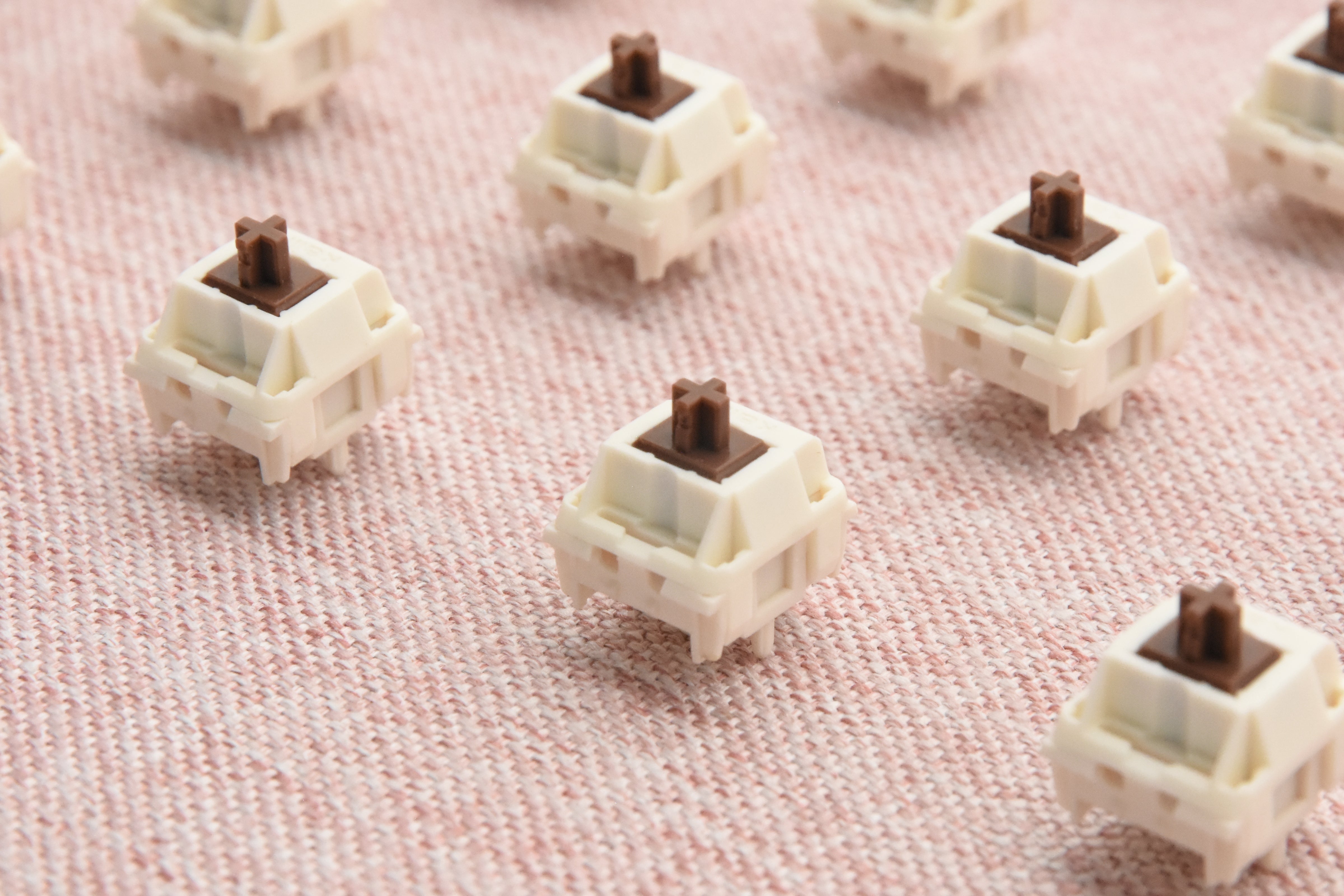
Stock switches are Kailh Cocoa linears.
Kailh
Best for: people who dislike the "floaty" sink of flexy gasket boards, heavy typists, and anyone prioritizing precise typing. As a limited model, KeyLab DB had no stock data for it at the time of writing — check the retailer before planning around it.
5. The gaming pick: Rainy75 HE Pro
The HE Pro looks like a Rainy75, but underneath it is a different kind of keyboard: a magnetic (Hall effect) board.
KeyLab DB lists Gateron Jade Pro magnetic switches (36g linear), adjustable actuation from 0.1 to 3.3mm, rapid trigger from 0.01 to 1mm, 8K polling and scan rate, and 0.125ms latency. The plate is carbon fiber, and the stabilizers are non-magnetic steel so they don't interfere with the sensors. Keycaps are a double-shot PBT and PC mix.
The review we referenced praises its pleasant typing feel — not the light, hollow feel common on magnetic boards — along with the sturdy, premium aluminum case. It also points out a few caveats:
- Rapid trigger and layer switching can clash. Switching layers with the Fn key can interact badly with rapid trigger, so some keys need individual tuning.
- The keycap design is divisive.
- Configuration is done through a web-based tool, which supports Japanese.
Two differences from the other four matter most:
- Wired only. Every other Rainy75 supports Bluetooth and 2.4GHz; the HE Pro is USB-C only. That is a common trade-off on magnetic boards, since 8K polling and wireless don't mix easily.
- Hot-swap is limited to magnetic switches. Only magnetic switches the maker lists — TTC KOM, TTC KOM RGB, Gateron Jade Pro — will work; regular mechanical switches will not. It also uses its own software rather than VIA.
Best for: competitive FPS such as VALORANT or CS2, and rhythm games — uses where rapid trigger clearly helps with stopping and direction changes. If you mainly type, the magnetic features do almost nothing for you, and one of the other four is a better match.
Note: The Rainy75 HE family also includes an RT version with TTC KOM RGB switches and a Lite version with an FR4 plate (per the referenced review). Neither is listed on KeyLab DB yet.
Variants and limited editions
Beyond the five core models, KeyLab DB also lists Rainy75 variants sold through WOBKEY's own store. Most of them take the Rainy75 Pro (FR4 plate, 7000mAh, tri-mode) and change the finish or the stock switches, so you can expect them to type like the Pro.
| Model | Main difference from the Pro | Approx. price |
|---|---|---|
| Rainy75 Non-flex Cut (1.6mm PCB) | 1.6mm non-flex PCB (the plate stays FR4) | $159.99 |
| Rainy75 Pro Silent SHHH Switch Edition | Black edition with WOBKEY's silent SHHH switches | $169.99 |
| Rainy75 Pro Limited Orange Edition | Orange anodized case, Mango switches | $159.99 |
| Rainy75 Pro Mithril | Mithril-silver finish, tempered glass back panel, Foggy switches | $169.99 |
| Rainy75 Pro Acrylic Limited Edition | Full frosted acrylic case that spreads the RGB across the whole body | $169.99 |
| Rainy75 x Salome | Collaboration edition (FR4 plate, Kailh Cocoa) | $195 |
| Rainy75 UK ISO / DE ISO | UK and German ISO layouts (82 keys) | $169.99 |
Prices are WOBKEY store listings in USD. At the time of this update (September 2026), the 1.6mm PCB version and the Acrylic edition were out of stock.
The one that actually changes the typing feel is the 1.6mm PCB version. It keeps the Pro's FR4 plate but uses a 1.6mm PCB with no flex cuts, which puts its firmness between the Pro and the MK edition (aluminum plate + 1.6mm PCB).

The rest differ in looks, stock switches or layout, so they suit people who like how the Pro types but want a particular finish or a quieter sound. For quieter typing, look at the SHHH Edition; if you need ISO, look at the UK and DE versions.
How to choose
The first question with the Rainy75 is whether you need magnetic switches.
- Competitive gaming is the main use → the HE Pro, knowing it is wired-only and magnetic-switch-only.
- Everything else (typing, work, casual gaming) → pick from the other four by feel and wireless habits.
For those four, lining them up by plate stiffness makes the choice easier:
| Softer ← | → Firmer | ||
|---|---|---|---|
| Lite / Standard (PP) | Pro (FR4) | 1.6mm PCB version (FR4, non-flex PCB) | MK edition (aluminum, non-flex) |
Soft and quiet: Lite or Standard. In between: Pro. A little firmer: the 1.6mm PCB version. A solid bottom-out: the MK edition. Then add "do I need RGB?" and "is 3500mAh enough?" and you should be down to one board.
Explore more
Current specs and prices for the whole series are in KeyLab DB's "rainy" search. To compare against 75% boards from other makers, use the 75% layout filter, and if you are weighing other magnetic boards, see our guide to magnetic keyboards. For thocky boards beyond the Rainy75, see our picks by budget.